
A useful head start before you book
Finding a contractor means checking more than a star rating. You want to know whether the business is real, whether it holds the documents required for the work, and who will arrive at your home. Google Local Services Ads can give you a useful head start: advertisers complete screening requirements, and their profiles can show the specific checks they have passed.
That saves you some of the work of starting from scratch. Open a provider’s Local Services profile and you can compare its services, service area, reviews and verification information in one place. The most useful question is simple: what has been checked for this provider, for this service, in my area? Google describes the badge and the checks in its current Google Verified guide and provider screening explanation.
For a booking today: Google Verified is a screening badge. The money-back protection associated with the former Google Guarantee badge has been discontinued. Use the checks to make a more informed choice, then agree the work, price and contractor’s own warranty before booking.
The practical advantage: a more informed shortlist
A verified profile puts useful information in front of you before the first call. Depending on the service and location, Google’s screening can include business information, applicable licences, insurance and background checks. The requirements are not identical for every trade or country. The profile’s verification details help you understand the checks relevant to the provider you are considering.
For example, a licence check can make it easier to identify the business and the credential Google reviewed. An insurance check can show that insurance was part of that category’s requirements. Where background screening applies, it adds another check on the people or business covered by that process. These are meaningful steps toward a better-informed choice; your next task is to match that business and its documents to your particular job.
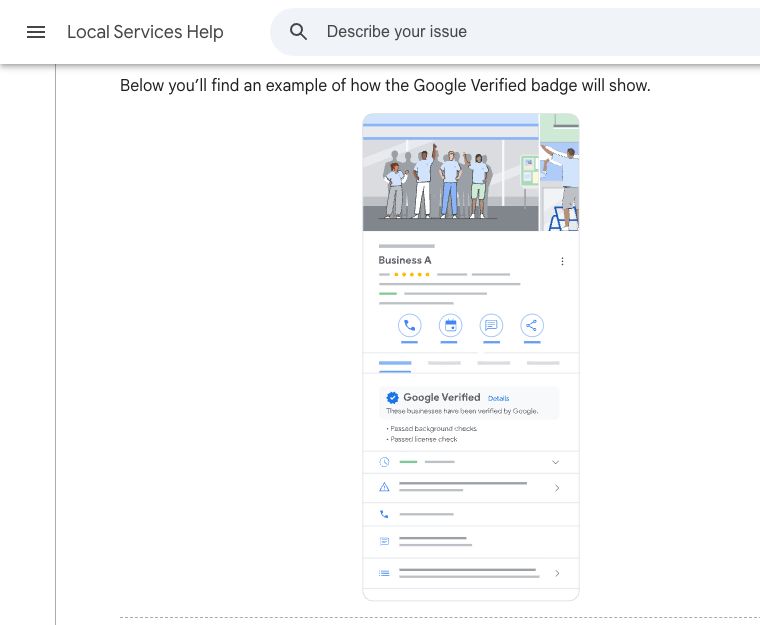
How to find Local Services Ads—and recognise what you are looking at
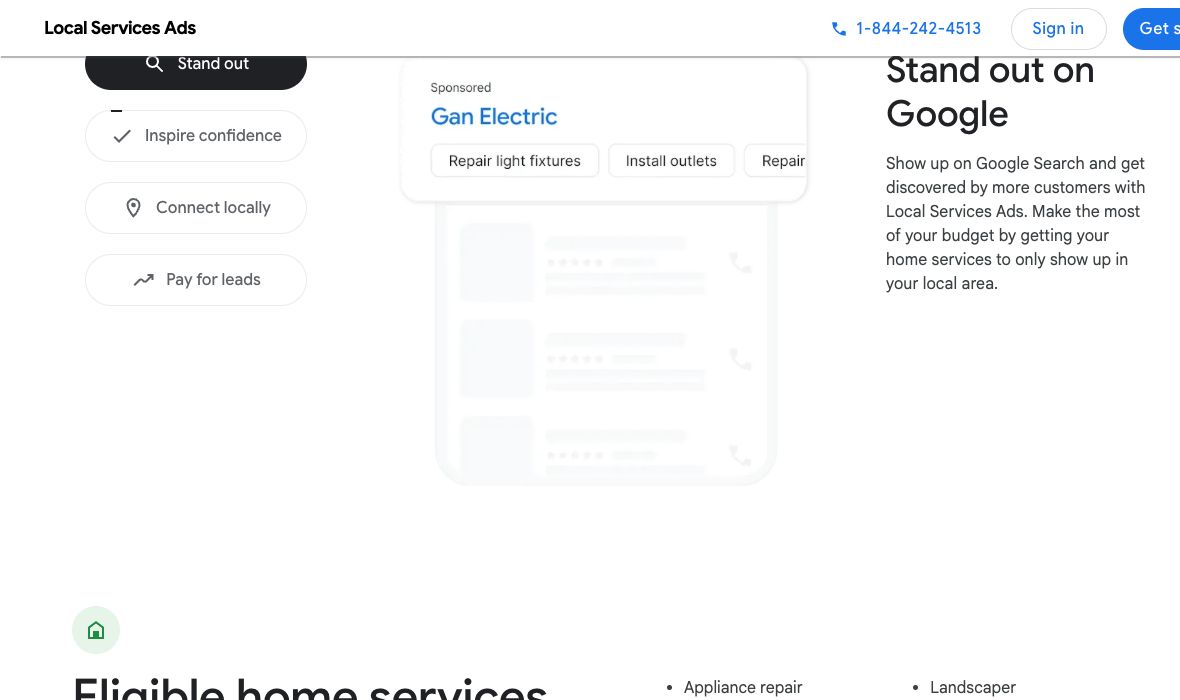
- Search for the actual service and place. A query such as “electrician near me” may show Local Services Ads when that service is available in your area. They will not appear for every location or search.
- Look for the advertising disclosure. Local Services is an advertising product. Google’s public example uses “Sponsored.” Ordinary search advertisements can also carry an advertising label, so that label alone does not identify Local Services.
- Open the provider’s Local Services profile. Look at the Google Verified badge and the specific verification information, then check services, hours, area served and reviews. Google says the badge appears on Local Services profiles and may appear on other surfaces where useful. Its absence from one small search card is not enough to draw a conclusion about the provider’s complete profile.
- Notice any partner affiliation. A “from (partner name)” label and partner logo identify an affiliate provider. Those providers follow the partner’s screening procedures rather than necessarily Google’s direct screening process. Read the partner’s explanation.
- Contact the provider through an available profile option. Calls are forwarded through Google; messaging is available only for selected services in the US and Canada. Booking options vary. Ask the business to confirm the work it can perform and who will do it.
Google explains the profile and contact options in Connect with Local Services providers. It also explains that communications delivered through Google may be monitored or recorded. Read the notices shown before sharing sensitive job information.
| What you opened | What it means for your decision |
|---|---|
| Local Services provider profile | Read the badge and individual verification details, services and areas served. This is the place to inspect Local Services screening information. |
| An ordinary Search ad and business website | An advertising label by itself does not establish Local Services verification or the former Google Guarantee. Check the advertiser and its credentials directly. |
| An organic Maps or Business Profile listing | Useful business information and reviews are available here, but a Business Profile alone does not establish completion of Local Services screening. Business Profile is a separate product. |
What Google may already have checked
The official consumer screening guide separates the following checks. Read them as category- and location-dependent requirements, then inspect the individual profile.
| Check | Useful information it adds | What to confirm for your job |
|---|---|---|
| Licences | Google checks applicable state, provincial or national licences for businesses and owners or managers to the extent practical, and confirms appropriate worker licensing. | Match the business and licence to the actual work and jurisdiction. A provider near a border may not be authorised on both sides. Check the relevant regulator’s current record. |
| Insurance | Where applicable, a business must hold insurance; the required type and minimum depend on location and category. | Ask for current evidence appropriate to the work. Confirm the insured business, dates, work covered and any important exclusions with the provider or insurer. |
| Background screening | Depending on service and country, screening can cover the business entity, business owner and sometimes service professionals, through third-party providers. | Ask who will attend and which checks apply. Some approved businesses use an equivalent background-screening process for professionals. Do not assume every employee has undergone every possible check. |
| Advanced verification | Some categories require further checks, which may include account and public-data review or a video interview. | Use the disclosed checks as additional context; confirm the named business is the one quoting and invoicing you. |
| Customer feedback | Reviews provide evidence of other customers’ experiences, and Google says serious or repeated negative feedback can affect a provider’s visibility. | Read recent reviews about work similar to yours, including how the business responds when a problem occurs. |
A background check is not a forecast of future workmanship. A licence has a scope and jurisdiction. Insurance is a policy with its own terms. Together these checks help you assess a provider; a clear agreement helps you assess the job you are about to buy.
Google Verified, contractor insurance and a workmanship warranty are different protections
Google Verified communicates completion of the applicable Local Services verification requirements. It gives you information about screening, rather than a promise to pay if the next job goes wrong.
The contractor’s insurance is separate. An insurance check does not make every customer an insured person or promise that an insurer will pay every complaint. Ask what policy applies to the work and how a relevant claim would be handled.
The contractor’s written warranty should explain what the business will put right, for how long, and how to request that remedy. Agree this before work starts. Google connects you with the provider; it does not set or guarantee the service price. Its consumer guide tells customers to agree service details, pricing and payment with the provider.
What happened to Google Guaranteed and the money-back guarantee?
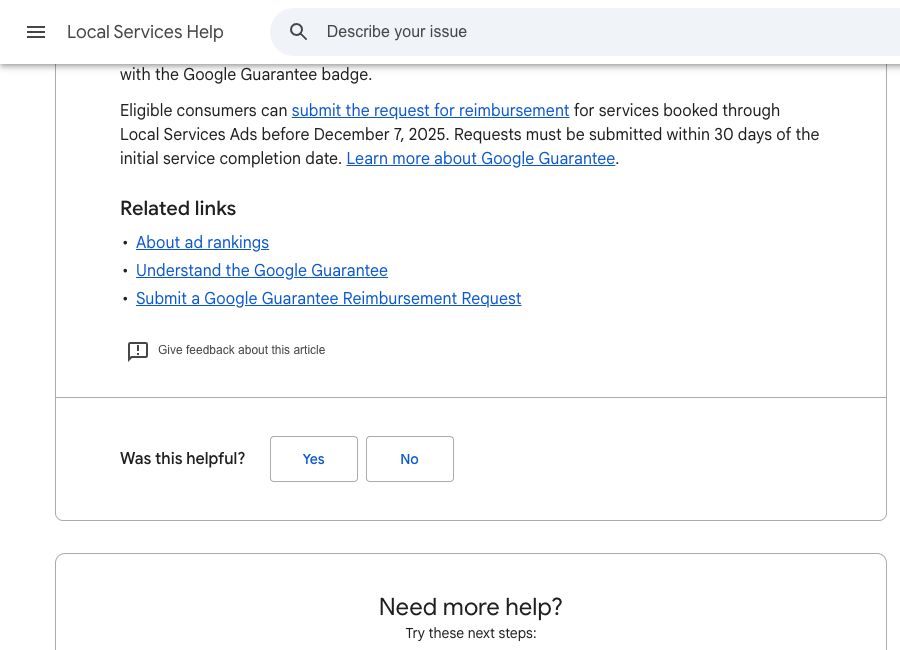
You may remember the Google Guaranteed badge, or still find old articles using “Google Guarantee.” Those references explain the confusion. Google now describes a single Google Verified badge and states that the associated Money Back Guarantee is being discontinued. Its current notice limits eligible historic requests to services booked through Local Services Ads before December 7, 2025, with requests submitted within 30 days of initial service completion. This is not money-back coverage for a new booking today. Read the current notice.
What were the former limits?
An archived copy of Google’s policy from December 9, 2024 lists the following customer lifetime caps. The figures are historical, in their stated currencies, and were not a per-job insurance policy or an automatic payout.
| Country | Historical maximum aggregate reimbursement |
|---|---|
| United States | US$2,000 |
| Canada | CAD$2,000 |
| United Kingdom | £1,500 |
| Austria, Belgium, France, Germany, Ireland, Italy and Spain | €1,500 in each country |
| Switzerland | CHF2,000 |
Under that archived policy, Google could, at its discretion, reimburse up to the initial service cost within the lifetime cap. The service had to be booked through the eligible Local Services channel. Contacting the business through another number, its website or directly through an affiliate website did not qualify. The policy also excluded property damage, future or additional services, diagnostic and trip fees, cancellations, and dissatisfaction with price or responsiveness. Archived Google policy, December 9, 2024.
The old process started with contacting the provider to resolve a service-quality concern. An eligible customer then had to request reimbursement within the deadline, supply a receipt and any requested evidence, and permit Google to check the Local Services contact record. These are historical terms, not instructions promising an available refund route today. The former reimbursement link now leads to Google’s content or provider concerns guidance.
Could the guarantee return?
We found no confirmed official announcement of a replacement money-back guarantee in the sources reviewed on October 30, 2026. Make today’s hiring decision using the protection actually offered today. If Google announces a new programme, its country, eligibility, limits and claim terms will need a fresh review.
A short checklist before you book
- Match the business. Check the profile, quote, licence and invoice use the business you expect. Ask whether employees or subcontractors will do the work.
- Define the job. Put the task, materials, access, expected timing and exclusions in writing. Ask what could change the price.
- Check the relevant documents. Confirm current licence status and scope with the regulator when licensing applies. Ask for insurance evidence suited to the work.
- Agree the money. Get the quoted price or pricing method, diagnostic or call-out charges, payment stages and cancellation terms before the visit.
- Ask about remedies. Get the contractor’s workmanship warranty and the contact process for a problem in writing.
- Keep the record. Save the profile details you relied on, messages, quote, receipt and any agreed changes. Share only job information needed to obtain the service.
A useful first message is: “Can you confirm you cover my address and this type of work, who will attend, any licence and insurance relevant to the job, the call-out or diagnostic fee, and what warranty you provide?”
If something goes wrong
Contact the business promptly with the agreed scope, what happened and the remedy you are requesting. Keep the correspondence and payment records. If the issue concerns advertising, safety or provider conduct on Local Services, use Google’s provider concerns guidance to choose the relevant reporting route. Reporting a concern is separate from an insurance claim, a contractual remedy or a promise of reimbursement.
For a licensing concern, contact the regulator responsible for that work and location. For an insurance claim, follow the applicable policy’s process. For an unresolved service dispute, your local consumer-protection agency can explain the options in your jurisdiction.
Questions homeowners ask
Does Google Verified mean Google has checked the contractor?
It means the advertiser completed the applicable Local Services verification requirements. Open the profile to see relevant checks. Requirements vary with service, country and whether the provider advertises directly or through a partner.
Does it mean Google guarantees the quality of my job?
The checks help you choose with better information. They do not guarantee the result of future work. Agree the contractor’s own warranty and scope before booking.
Am I insured for $3,000 by booking through Google?
No current Google Verified money-back benefit of that amount is established by the official sources reviewed here. The archived Guarantee policy listed US$2,000 or CAD$2,000 lifetime caps, with different caps elsewhere, and the current notice restricts historic eligible bookings to before December 7, 2025.
Is a five-star Maps listing the same as Google Verified?
No. A rating is customer feedback. Business Profile and Local Services verification are separate. Inspect the Local Services provider profile and its individual verification details.
Does every person who visits my home have the same criminal background check?
Do not assume that. Google describes checks on owners and, in some cases, service professionals, with approved equivalent screening in certain circumstances. Ask the provider who will attend and what checks cover that person.
Editorial note: This guide explains Google’s published rules and practical questions to ask. Google is the primary source for its programme terms. OwnersDepot and Lead to Order are related projects; related editorial links are not independent verification of a contractor. Last source review: October 30, 2026.
Official sources
Checked 2026-10-30. Statistics retain the reference periods stated in the article.